Workflows instead of handgrips
Recurring chains are modelled once and run on their own afterwards.
Create the order, move the data, get the approval, tell the team: the chain of small manual steps between your systems runs on its own — with you only where a decision is needed.
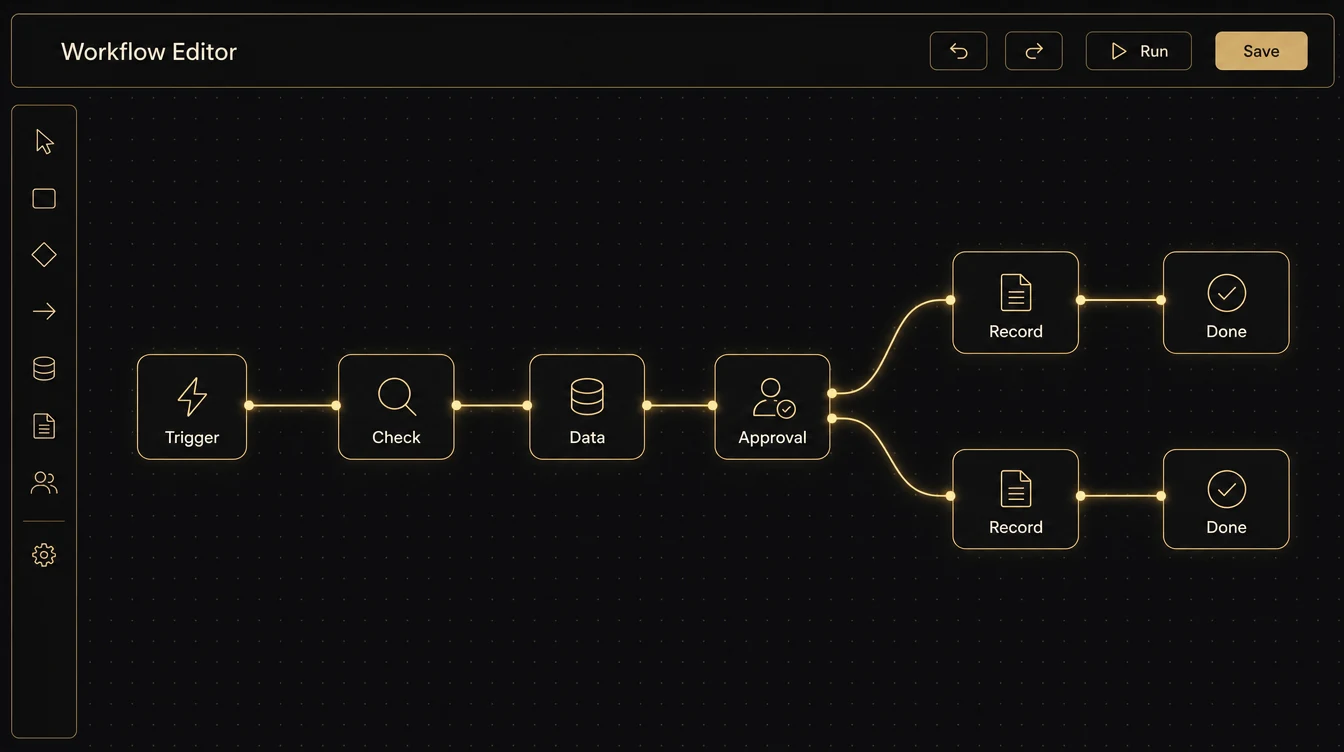
The biggest time sinks are rarely big tasks. They are the many small handovers: moving something from one system into another, chasing an approval, letting somebody know, updating a status. Two minutes each, a full working day a week together.
We model those chains as a workflow: a trigger starts it, data is checked and transferred, approvals go to the responsible person, everyone involved is informed. Where a decision is needed the workflow pauses — otherwise it simply runs through.
Every step is visible and logged. You can see at any time what has run, what is stuck and why.
Recurring chains are modelled once and run on their own afterwards.
Data moves from system to system through official interfaces — no interim spreadsheet.
The workflow pauses where a person has to decide, then carries on.
Every step is documented: what happened, when, and what is waiting.
Things get copied between systems, chased and reminded. Whether something is done is only known by going to look.
The workflow runs by itself and only speaks up when a decision is due — or when something is stuck.
We look at what actually happens — tasks, frequencies, waiting times, handovers.
Cost today, cost afterwards. That sets the order — biggest lever first.
We build, connect your systems and test against real data. It goes live once it holds.
We measure, sharpen and take on the next workflow.
Both begin with mapping your workflows and producing a prioritised roadmap. Then you decide who builds.
We show you the way — your team walks it.
Outcome: you can start without us.
More on consultingWe show you the way — and walk it with you.
Outcome: it runs — accounts and data stay yours.
Request a process checkQuestions on Internal workflows
The workflow stops rather than running through half finished. The responsible person is notified, the error is logged, and after the fix the case continues from the same point.
As a rule, no. We build on your existing systems and use their interfaces. Only if a system offers no way in at all do we discuss alternatives — before we start.
A clearly bounded workflow is usually live within weeks. We deliberately start with one that occurs often and has few exceptions — quick to build and immediately measurable.
Yes. Workflows are built visibly and documented. We train your team on them; if you would rather hand maintenance to us, you can — with no subscription lock-in.
Describe it in two or three sentences. You will get a free, no-obligation assessment: whether and how it can be automated — and roughly what that means.